What Is a Google Business Profile and Do You Really Need One?
Your free Google listing could be your most powerful local marketing tool.
Key Facts
It's completely free. Nearly 46% of Google searches have local intent, and your profile is what shows up in that crucial map pack.Why It Matters
A complete profile makes customers 2.7x more likely to trust you, 70% more likely to visit, and 50% more likely to buy.Watch Out
Google may have already created an unverified listing for your business with wrong details. Claim it before it misleads your customers.
A Google Business Profile is one of those things that sounds technical but is actually straightforward once you see it clearly. I'll walk you through exactly what it is, how it works, and why not having one is costing you customers right now, without the jargon.
A Google Business Profile (formerly known as Google My Business) is a free tool that lets you manage how your business appears on Google Search and Google Maps. When someone searches for your business name, or for a service you offer nearby, your profile is what shows up in that prominent box on the right side of the screen, or in the local “map pack” results.
In short: it’s your business’s digital shopfront on Google, and it’s completely free to set up.
Nearly 46% of all Google searches have local intent, meaning almost half of everything searched on Google is someone looking for something nearby. A remarkable 84% of UK adults search for local business information online at least once a week. If your business isn’t showing up, you’re invisible to the majority of your potential customers.
What Is a Google Business Profile?
Your profile can display your:
- Business name, address, and phone number
- Opening hours (including holiday hours)
- Website link
- Customer reviews and your replies
- Photos of your premises, products, or team
- Services or product listings
- Questions and answers from customers
A Google Business Profile is often the very first impression a potential customer gets of your business, before they even visit your website.
In fact, 53% of local consumers see a Google Business Profile before visiting a business website. For the majority of local customers, the GBP is the first impression, not the website, not social media, not an advertisement.
How Does a Google Business Profile Actually Work?
Where It Appears
When someone types “hairdresser near me” or “plumber in Bristol” into Google, the search engine surfaces a local packa map with three business listings underneath it. These come directly from Google Business Profiles.
Your profile can appear in two key places:
- Google Searchin the knowledge panel on the right-hand side when someone searches your business name directly
- Google Mapswhen someone is browsing or navigating and looking for nearby services
The Map Pack (also called the Local Pack or 3-Pack) is the boxed result that appears at the top of Google search results for local-intent queries, showing three businesses on a map with key details like rating, hours, and distance. It appears in approximately 93% of local searches.
The Map Pack captures about 44% of clicks for local searches, with traditional organic results capturing 29% and paid ads 19%.
What Google Uses to Rank Local Results
According to Google’s official guidance, local businesses are ranked based on three main factors:
- Relevancehow well your profile matches what the person searched for
- Distancehow close your business is to the searcher
- Prominencehow well-known and trusted your business appears (reviews, links, activity)
A complete, active profile helps with all three.
According to research by BrightLocal and Whitespark, GBP signals account for 32% of local pack ranking weightthe single largest factor category.
When it comes to ranking in the local pack on Google, local search experts agree that the primary category a business assigns to their Google Business Profile is the #1 local ranking factor, receiving the highest expert score of 193 out of 149 ranking factors surveyed by Whitespark.
The Verification Process
Before your profile goes live, Google needs to verify that your business is real and located where you say it is. In 2026, verification most commonly happens by:
- Video recording (now the default method for most new profiles, you record a short video showing your premises, signage, and proof of operations)
- Postcard sent to your business address with a code (still available, but now typically a fallback rather than the primary route)
- Phone or email (available for some business types and established profiles)
Once verified, you have full control over your listing.
Key Features of a Google Business Profile (And Why They Matter)
Reviews and Ratings
Customer reviews are one of the most powerful elements of your profile. According to BrightLocal’s Local Consumer Review Survey 2026, 97% of consumers read reviews for local businesses.
A full 85% of consumers are more likely to use a business after reading positive reviews, while 77% are put off by negative ones.
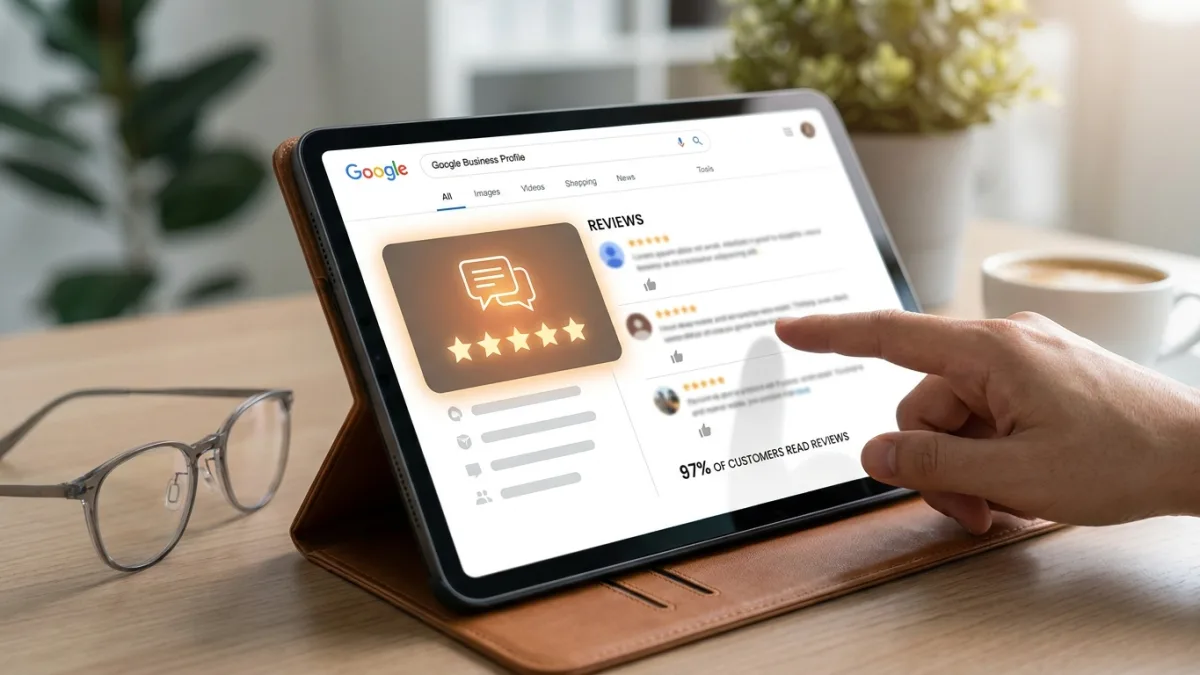
Star rating thresholds have hardened sharply: 31% of consumers will only use a business with 4.5+ stars (up from 17% in 2025), and 68% require at least 4 stars (up from 55%).
You can (and should) respond to every review, positive or negative. 80% of consumers say they are more likely to use a business that replies to all of its reviews. Replying shows you’re engaged and care about your customers.
⚠️ Important: A full 74% of consumers only care about reviews written in the last three months. Recency isn’t just nice to have, it’s expected. A steady flow of fresh reviews matters far more than a large batch from two years ago.
Posts and Updates
You can publish posts directly to your profile, promotions, events, new products, or general updates. These appear in your listing and give searchers a reason to choose you over a competitor with a stale, inactive profile.
Fewer than 10% of UK small businesses use Google Posts weekly, despite the visibility boost it provides. This is a significant competitive opportunity for any business willing to invest a few minutes each week.
Photos and Videos
According to Google’s own data, businesses with photos receive 42% more requests for driving directions and 35% more clicks through to their websites than businesses that don’t have photos.
Add:
- Interior and exterior shots of your premises
- Photos of your work (before/after for tradespeople, dishes for restaurants, etc.)
- Team photos to add a personal touch
The average top-ranking UK local business has 3.3 GBP categories and more than 30 photos on their profile, the threshold above which profiles typically see materially higher engagement.
Q&A Section
Anyone can ask a question on your profile, and anyone can answer. Monitor this section closely and pre-populate it with common questions you receive. It’s a great way to address concerns before they become barriers to booking.
Messaging
Customers can message you directly through your profile. If you’re able to respond promptly, this can be a powerful conversion tool, especially for service businesses where people want a quick quote.
Do You Really Need a Google Business Profile?
The Short Answer
If you serve local customers, yes, absolutely. For the vast majority of UK small businesses, a Google Business Profile is the single highest-return marketing activity available. It’s free, it’s where your customers are already looking, and not having one means handing potential business to your competitors.
Customers are 2.7 times more likely to consider a business reputable if they find a complete Business Profile on Google Search and Maps. They are also 70% more likely to visit and 50% more likely to consider purchasing from businesses with a complete Business Profile.
- 2.7x more reputable
- 70% more location visits
- 50% more purchase intent
- 42% more direction requests
- Invisible in local search
- Competitors rank above you
- Unverified data online
- 56% never optimise
Which Types of Businesses Benefit Most
| Business Type | Benefit Level | Why |
|---|---|---|
| High street retailers | ⭐⭐⭐⭐⭐ | Drives footfall and “open now” searches |
| Tradespeople (plumbers, electricians) | ⭐⭐⭐⭐⭐ | Captures urgent “near me” searches |
| Salons and beauty businesses | ⭐⭐⭐⭐⭐ | Reviews and photos drive bookings |
| Clinics and health practitioners | ⭐⭐⭐⭐⭐ | Trust signals and location visibility |
| Restaurants and cafés | ⭐⭐⭐⭐⭐ | Hours, menus, and reviews are essential |
| Local service providers | ⭐⭐⭐⭐⭐ | Area-specific searches convert highly |
| Online-only businesses | ⭐⭐ | Less critical, but still useful for brand presence |
What Happens If You Don’t Have One
Here’s the uncomfortable truth: Google may have already created a basic listing for your business using publicly available data. That unverified listing is out there, with potentially wrong information, and you have no control over it.
By claiming and verifying your profile, you take back control.
Leaving your Google Business Profile unclaimed is like leaving your front door unlocked-someone else might walk in and make changes you wouldn’t want.
A striking 56% of UK small businesses have never optimised their Google Business Profile beyond the initial claim. Without an active, complete profile, you’re invisible in local search results. Your competitors, even less experienced ones, will appear above you simply because they’ve taken 20 minutes to set theirs up.
The stakes are real: 76% of people who search for something nearby on a smartphone visit a related business within 24 hours, and 28% of local searches result in a purchase within 24 hours.
Common Mistakes UK Small Businesses Make With Their Profile
Incomplete Information
Leaving sections blank is one of the most common errors. An incomplete profile signals to Google that your listing isn’t trustworthy, and it signals the same to potential customers.
Make sure you fill in:
- Every relevant category (primary and secondary)
- A detailed business description using natural language
- All your services with descriptions and prices where possible
- Accurate, up-to-date opening hours
Ignoring Reviews
Not responding to reviews, especially negative ones, is a missed opportunity. A thoughtful, professional response to a bad review can actually increase trust with prospective customers who see how you handle problems.
According to BrightLocal’s Local Consumer Review Survey 2026, 47% of consumers won’t use a business with fewer than 20 reviews. Building your review count consistently, and responding to every one, is non-negotiable for competitive local markets.
Setting It and Forgetting It
Your profile isn’t a one-time job. Google rewards active profiles. Make a habit of:
- Adding new photos monthly
- Publishing posts regularly (at least twice a month)
- Updating hours for bank holidays and seasonal changes
- Checking and answering questions
Choosing the Wrong Categories
Your primary category is one of the most important ranking signals for local search. “Plumber” and “Emergency plumber” are different categories with different search volumes. Research which categories your top local competitors use and make sure yours are accurate and specific.
Inconsistent Business Information
Your Google Business Profile doesn’t exist in isolation. According to First Place SEO, NAP consistencymaking sure your business name, address, and phone number appear exactly the same wherever they’re listed online-helps search engines trust that your business is real and reliable. If your contact details differ across platforms, it can cause confusion, harm your online visibility, and even lose you customers.
How to Set Up Your Google Business Profile (Step by Step)
Setting up your profile takes less than 30 minutes. Here’s how:
- Go to Google Business Profile and sign in with a Google account
- Search for your business nameif it already exists, claim it; if not, create a new one
- Enter your business detailsname, category, address or service area
- Add your contact informationphone number and website
- Complete the verification processfollow the steps Google provides (video recording, postcard, or phone/email depending on your business type)
- Fill out your profile fullyhours, description, services, photos
- Publish your first postshow Google your profile is active from day one
Once live, check your profile at least weekly, especially in the early weeks when Google is assessing your engagement.
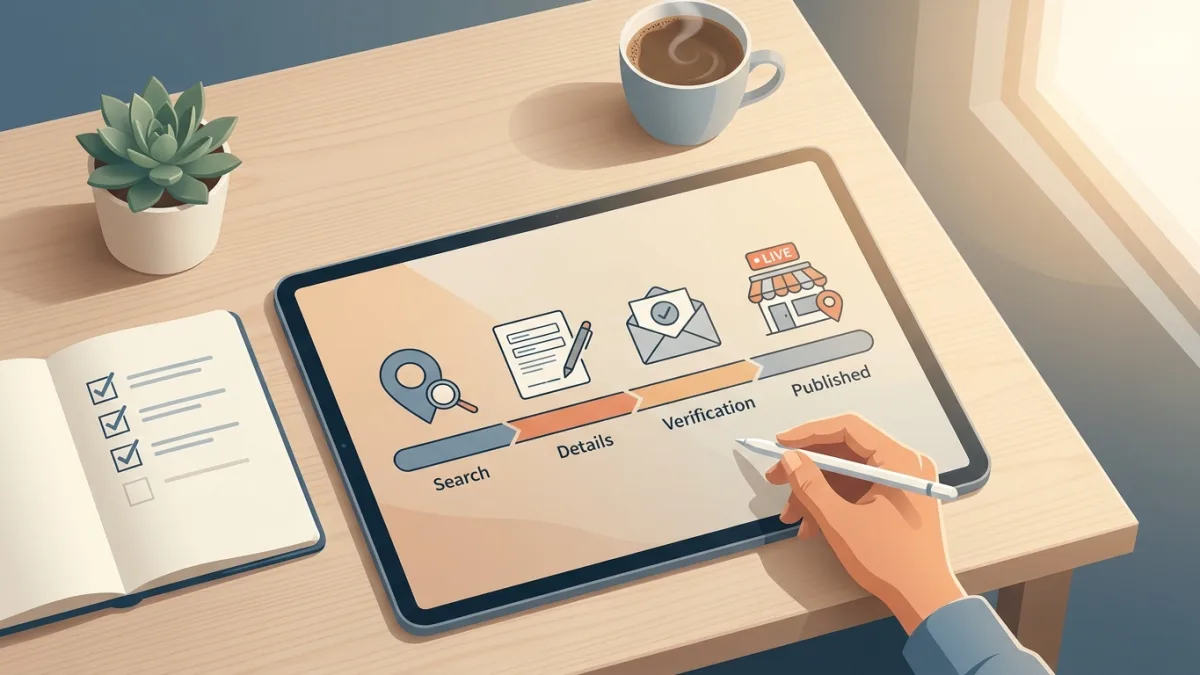
Create or Claim
Sign in and find or create your listing
Add Your Details
Enter category, address, phone, website
Verify with Google
Complete video, postcard, or phone check
Optimise & Publish
Add photos, hours, services, first post
Getting the Most From Your Google Business Profile
Optimising for Local SEO
Your Google Business Profile works best alongside a well-optimised website. Consistency matters: make sure your business name, address, and phone number (often called NAP) are identical across your website, social media profiles, and any directory listings.
When a search engine like Google tries to decide which businesses to show in its local pack, it looks for signals of legitimacy and consistency. Your NAP is a direct trust signal: if all references to your business across the web align, Google is more confident you’re real, stable, and authoritative.
Inconsistent information confuses Google and can hurt your local rankings.
Encouraging More Reviews
The most effective way to get reviews is simply to ask. After a job well done or a positive interaction, send a follow-up message with a direct link to your review page. Many businesses find that a simple, friendly ask at the right moment generates a steady flow of genuine feedback.
Businesses with more reviews don’t just rank higher, they convert more visitors into customers. Social proof is one of the most powerful forces in local purchasing decisions.
At Growth Spark Marketing, we often find that local businesses are sitting on a goldmine of happy customers who’ve simply never been asked to leave a review. A small, consistent effort here can transform your visibility.
Reviews make up about 20% of local pack ranking weight. Review recency made the biggest jump in the latest research, moving from around 93rd place in 2023 to 11th in 2026. That means a steady flow of new reviews looks better to Google than a big batch from two years ago.
Using Insights to Understand Your Customers
Your profile comes with a built-in analytics section called Performance (formerly Insights). It shows you:
- How many people found your profile through direct searches vs. discovery searches
- What search terms people used to find you
- How many people clicked to call, visit your website, or ask for directions
A notable 84% of Google Business Profile discovery searches are ‘category/product/service’ rather than direct brand searches, meaning most people finding your profile don’t already know your name. Use this data to understand what’s working and where to focus your efforts.
Frequently Asked Questions
A Google Business Profile is completely free£0 to create, verify, and manage, with no subscription or premium tier. Every core feature (photos, posts, review responses, performance insights) is included at no cost. The only things that cost money are optional: Google Ads, Local Services Ads, or hiring an agency to manage the profile for you.
Verification time depends on the method Google assigns to your business. Phone and email verification can complete in minutes, while video review typically takes up to 5 business days. If Google offers postcard verification, most codes arrive within 14 days and expire after 30 days. Some profiles linked to a verified Google Search Console account may be approved instantly.
Yes, service-based businesses can absolutely get a profile without displaying a public address. Google classifies these as Service Area Businesses (SABs): you provide a real address for private verification only, then define the cities or postcodes you serve instead. Plumbers, freelancers, mobile groomers, and consultants all qualify. Purely online businesses with no direct customer interaction are generally not eligible.
Yes, and the impact is significant. Google Business Profile signals account for roughly 32% of local pack ranking weightthe heaviest of any single category. Customers are 2.7 times more likely to consider a business reputable when they find a complete profile, and complete profiles receive up to 70% more location visits than incomplete ones. Choosing the right primary category is the single most important ranking factor.
You can claim an existing listing through Google’s official processyou don’t need to start from scratch. Search for your business on Google Maps, select “Claim this business,” and follow the verification steps. Once verified, you take full control of the profile. Never pay a third party claiming to “verify” your listing for you, as Google handles this entirely for free.