Why Is My Website Not Showing Up on Google?
Your site isn't showing up on Google — here's exactly why and how to fix it.
Key Facts
Google holds over 90% of the UK search market. Most visibility issues stem from crawl blocks, missing sitemaps, thin content, or an incomplete Google Business Profile.What You'll Gain
A clear diagnostic process to pinpoint your exact problem — and practical first steps to get your site indexed, ranking, and visible to local customers.Worth Knowing
Indexing and ranking are two different things. Getting into Google's index is step one — appearing on page one for competitive terms takes consistent effort over months.
If you've searched for your own business and come up blank, you're not alone — and it's rarely as complicated as it feels. Most visibility problems come down to a handful of fixable issues: crawl blocks, missing submissions, or content that Google simply can't work with. I'll walk you through each cause clearly, so you know exactly where to look and what to do next.
The Most Common Reasons Your Website Isn’t Showing Up on Google
Your website might not appear on Google for several reasons, and most of them are fixable.
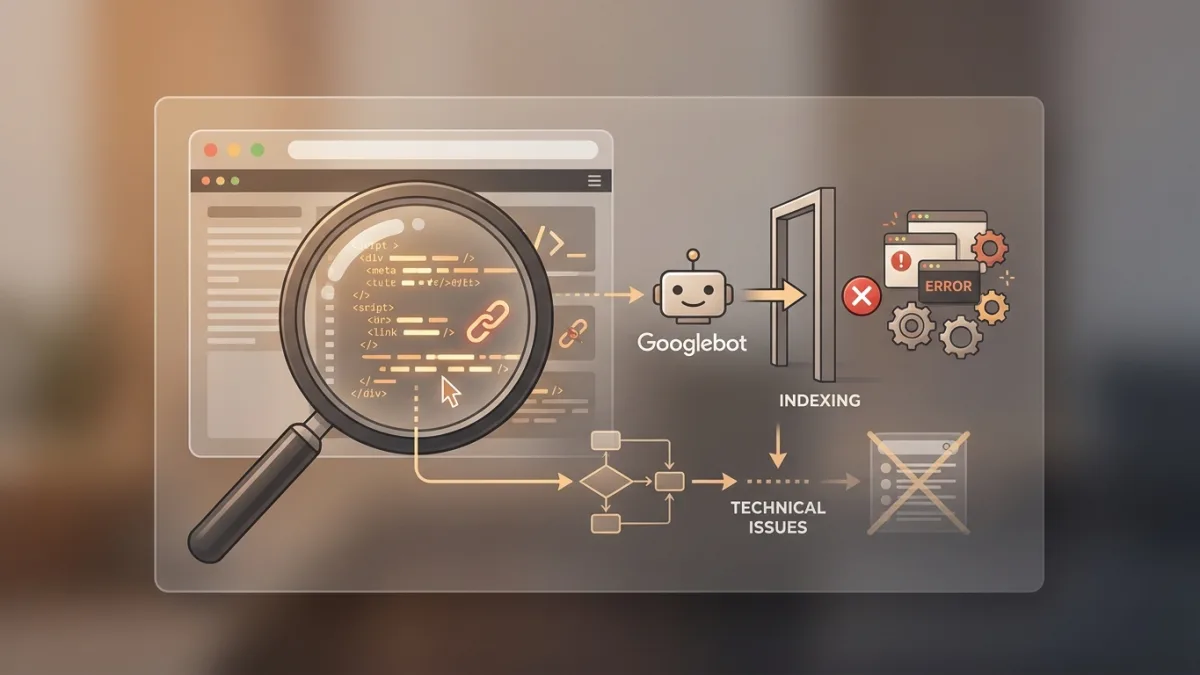
The most frequent causes include your site being too new, blocked from crawling, lacking quality content, or having technical issues that prevent Google from indexing it properly.
This guide walks through each cause clearly, so you can diagnose the problem and take action today.
According to SEO Bridge, Google regularly holds over 90% of the UK search engine marketwhich means ranking on Google is still the single most important digital priority for UK small businesses.
Your Site Is Too New
If you launched your website recently, Google simply may not have found it yet.
Google’s crawlers (called Googlebots) discover new websites by following links or through manual submission. This process can take anywhere from a few days to several weeks.
Key insight: A brand new website with no backlinks and no sitemap submission can take 1 to 4 weeks to appear in Google’s index, sometimes longer depending on content quality, internal linking, and crawl demand.
According to Rapid Website, for most new websites, Google can discover and index your site within 4 days to 4 weeks. However, appearing in search results for competitive keywords takes considerably longer, often 3 to 6 months of consistent effort.
There’s no shortcut to overnight visibility, but you can speed things up significantly by taking a few deliberate steps.
You Haven’t Submitted Your Site to Google
Google doesn’t automatically discover every new website instantly. You need to give it a nudge.
The fastest way is to submit your website through Google Search Console (a free tool from Google). Here’s how:
- Go to Google Search Console
- Add your website as a property
- Submit your XML sitemap
- Use the URL Inspection Tool to request indexing of your homepage
This tells Google your site exists and where to find it.
According to Google Search Console Help, the URL Inspection tool provides information about Google’s indexed version of a specific page, and also allows you to test whether a URL might be indexable.
Google Is Being Blocked from Crawling Your Site
This is one of the most frustrating causes, and surprisingly common.
Your website might be actively telling Google to stay out, without you even realising it.
Crawling Blocked by robots.txt
Check yourwebsite.com/robots.txt and remove any overly broad Disallow rules left from development.
The robots.txt File
Every website has a robots.txt file (or should have one). This file gives instructions to search engine crawlers about which pages they can and cannot access.
A single line of incorrect code can block Google from your entire website:
User-agent: *
Disallow: /
That code tells ALL bots to crawl NOTHING. It’s a common mistake left over from development mode.
How to check: Type yourwebsite.com/robots.txt into your browser and look for any Disallow: / rules that are too broad.
According to Search Engine Journal, one of the most common robots.txt mistakes is leaving development-mode blocking rules active on a live site, effectively hiding your entire website from Google.
The “noindex” Meta Tag
Individual pages can also be blocked using a noindex tag in the page’s HTML. This tag tells Google: “Don’t include this page in search results.”
It looks like this:
<meta name="robots" content="noindex">This is useful for private pages. But if it’s accidentally applied to your homepage or key service pages, those pages will never appear in search results.
How to check: Use Google Search Console’s URL Inspection Tool to see whether a specific page is indexed or blocked.
Your Site Was Set to “Discourage Search Engines” During Development
WordPress and many other CMS platforms have a setting that prevents search engine indexing, designed to hide your site while it’s being built.
If you forgot to turn this off after launch, Google has been politely ignoring your site ever since.
In WordPress: Go to Settings → Reading and make sure “Discourage search engines from indexing this site” is unchecked.
Your Website Has Serious Technical SEO Problems
Even if Google can crawl your site, technical issues can prevent pages from ranking, or appearing at all.
Slow Page Speed
Google uses page speed as a ranking factor. A slow website frustrates users, and Google knows it.
According to Screaming Frog, page speed has long been an official Google ranking factor, and research by Google identified that 53% of site visits are abandoned if a mobile site takes longer than 3 seconds to load.
Common culprits include:
- Uncompressed, oversized images
- Too many plugins or scripts
- Poor hosting (cheap shared hosting with slow servers)
- No caching in place
Use Google’s PageSpeed Insights tool to get a free speed report and specific recommendations for both mobile and desktop performance.
💡 Expert tip: Aim for a Largest Contentful Paint (LCP) of under 2.5 secondsthis is Google’s official “good” threshold for Core Web Vitals, which are direct ranking inputs.
Mobile Unfriendliness
Google operates on a mobile-first indexing basis. That means it primarily looks at the mobile version of your site when deciding how to rank it.
According to Search Engine Journal, Google officially completed its switch to mobile-first indexing, meaning Google now prioritises mobile versions when crawling pages and indexing content. The final transition was fully completed by July 5, 2024, making mobile-first indexing the universal default for 100% of websites.
If your site looks broken or is hard to navigate on a smartphone, Google will rank it lower, or not at all.
Check: Use Google Search Console’s Mobile Usability report (under Experience) or Google PageSpeed Insights (mobile tab) to see how your site performs on mobile.
Broken Internal Links and Crawl Errors
If Google’s bots hit too many dead ends, broken links, 404 errors, redirect loops, they may give up before crawling your most important pages.
Google Search Console shows you crawl errors in the Pages report (under Indexing → Pages). Fix these regularly to keep your site healthy.
Quick win: Fixing crawl errors and broken links is often one of the fastest ways to improve your site’s visibility in Google.
Duplicate Content Issues
If multiple pages on your site have the same (or very similar) content, Google struggles to decide which one to rank. It may end up ranking none of them.
This often happens with:
- Product pages with near-identical descriptions
- Category and tag pages on blogs
- HTTP vs HTTPS or www vs non-www versions of your site
Use canonical tags to tell Google which version of a page is the “master” copy.
Your Content Isn’t What Google Is Looking For
Getting indexed is one thing. Actually ranking is another.
If your pages appear in Google’s index but sit on page 10 (or beyond), content quality is likely the issue.
What Is E-E-A-T?
Experience, Expertise, Authoritativeness, and Trustworthiness — Google's framework for evaluating content quality and deciding which sites deserve top rankings.
Google Search Quality GuidelinesThin or Low-Quality Content
Google rewards helpful, in-depth content that genuinely answers what a user is searching for.
“Thin content”, pages with very little text, no real information, or content that’s been copy-pasted from elsewhere, performs poorly.
For a local plumber in Manchester, for example, a homepage that simply says “We fix pipes. Call us.” gives Google almost nothing to work with.
What Google wants to see:
- Clear explanations of your services
- Location-specific information (especially for local businesses)
- Answers to questions your customers actually ask
- Original, useful content written for humans (not stuffed with keywords)
According to SEO Bridge, Google’s March 2024 update reduced low-quality, unoriginal content by 45% in search results, a clear signal that thin content is a serious liability.
You’re Targeting the Wrong Keywords
Your content might be perfectly written, but optimised for terms nobody searches for, or terms so competitive you have no realistic chance of ranking.
Common mistakes:
- Using industry jargon that customers don’t actually type into Google
- Targeting broad, highly competitive keywords (like “plumber” instead of “emergency plumber in Bristol”)
- Ignoring long-tail keywordslonger, more specific phrases with less competition
For UK small businesses, local keyword targeting is often the most effective approach. Phrases like “hairdresser in Exeter” or “boiler repair Leeds” are far more achievable than generic national terms.
No E-E-A-T Signals
Google evaluates content using the E-E-A-T framework: Experience, Expertise, Authoritativeness, and Trustworthiness.
According to SEO Business UK, Google’s E-E-A-T guidelines play a critical role in evaluating and ranking content, helping Google decide which websites are worth showing at the top of search results, and in 2026, with the flood of AI-generated content online, these signals matter more than ever.
For local businesses, this means:
- Having a clear “About” page with real team information
- Displaying genuine customer reviews and testimonials
- Including your business address and contact details prominently
- Getting mentioned or linked to by reputable local websites
Your Website Has No Backlinks or Local Authority
Google treats backlinks (links from other websites pointing to yours) as votes of confidence. A site with zero backlinks is essentially unknown to the wider web.
Why Backlinks Matter
When a reputable local website, business directory, or news outlet links to your site, Google sees this as a signal that your site is credible and worth ranking.
For UK small businesses, even a handful of quality local backlinks can make a meaningful difference.
How to Build Local Backlinks
You don’t need hundreds of backlinks to start appearing in local search results. Focus on quality over quantity:
- Get listed on reputable UK directories: Yell.com, Thomson Local, Checkatrade (for tradespeople), FreeIndex
- Join your local Chamber of Commercemost provide a member directory with a link to your website
- Ask satisfied customers to mention you on local community groups or blogs
- Partner with complementary local businesses for mutual mentions
- Get featured in local presseven a small mention on a local newspaper website can carry weight
Remember: One backlink from a trusted, relevant local website is worth far more than dozens of links from low-quality directories.
Your Google Business Profile Is Missing or Incomplete
For local searches, “electrician near me,” “coffee shop in York”, Google’s local pack (the map results) is often more important than traditional organic rankings.
If you haven’t claimed and optimised your Google Business Profile (formerly Google My Business), you’re invisible in local search.
According to SEO Scale Up, 26% of UK small and medium businesses have no Google Business Profile at all, and a further 59% have claimed their profile but have not fully completed it. Businesses with complete profiles are 70% more likely to attract location visits.
Google Business Profile signals account for approximately 32% of all Map Pack ranking factorsmaking it the single most important asset for local search visibility.
Essential steps:
- Claim your free Google Business Profile
- Add your correct business name, address, and phone number (NAP)
- Choose the right business categories
- Upload real photos of your business
- Actively collect and respond to Google reviews
A Quick Diagnostic: What’s Stopping Your Site from Ranking?
Use this table to quickly identify your most likely issue based on your situation:
| Symptom | Most Likely Cause | First Step to Fix |
|---|---|---|
| Site completely absent from Google | Not indexed / crawl blocked | Check robots.txt + submit to Search Console |
| Site indexed but ranking on page 5+ | Weak content or no backlinks | Improve content quality + build local links |
| Homepage shows but service pages don’t | Noindex tags or thin content | Audit each page with URL Inspection Tool |
| Competitors outrank you locally | Weak Google Business Profile | Optimise GBP + gather more reviews |
| Site was ranking, then disappeared | Google penalty or algorithm update | Check Search Console for manual actions |
| New site, nothing showing after 2 weeks | Too new / no sitemap submitted | Submit sitemap + request indexing |
How to Check Your Indexing Status Right Now
Before spending hours on fixes, confirm exactly what Google can and can’t see. Here’s a simple diagnostic process:
Step 1: Do a Site Search
Type site:yourwebsite.com into Google’s search bar (replace with your actual domain).
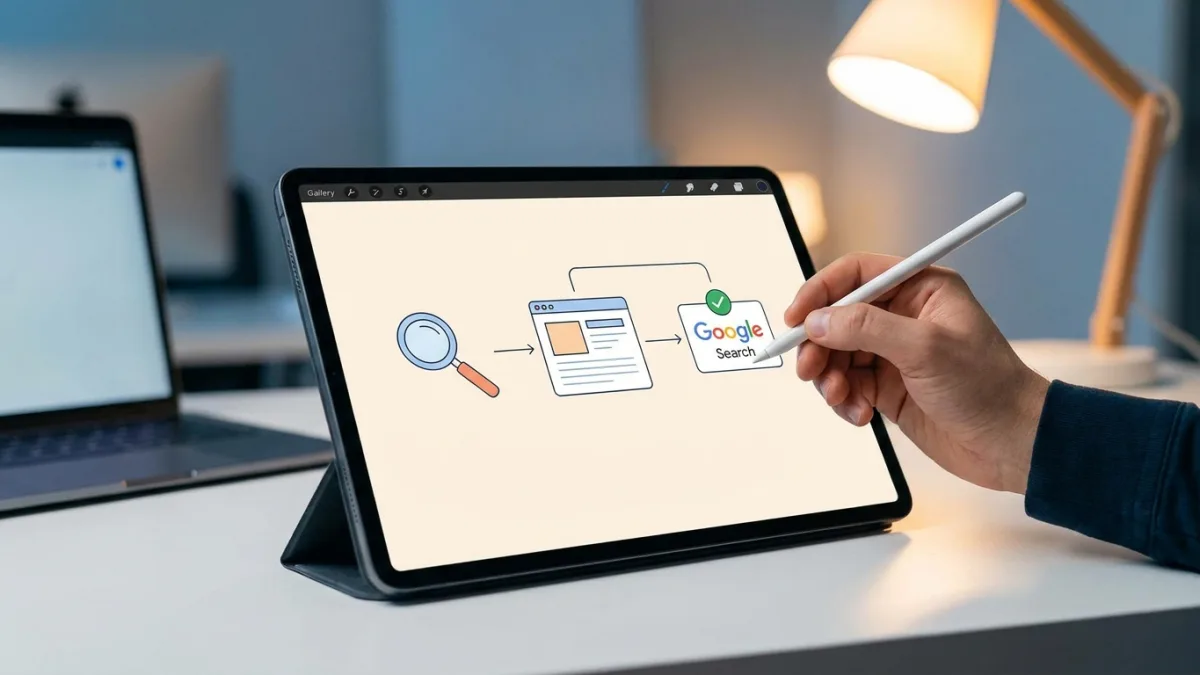
Run a Site Search
Type site:yourwebsite.com into Google
Open Search Console
Check indexed pages and crawl errors
Check Manual Penalties
Go to Security & Manual Actions tab
Inspect a Page
Use URL Inspection Tool on key pages
- If results appear: Google has indexed at least some of your pages. The issue is likely ranking, not indexing.
- If no results appear: Google hasn’t indexed your site yet, or something is blocking it.
Step 2: Use Google Search Console
Google Search Console is the single most important free tool for diagnosing visibility problems. It shows you:
- Which pages are indexed
- Which pages have errors
- What search queries are bringing people to your site
- Whether Google has flagged any manual penalties
If you haven’t set it up yet, do it today, it’s free and essential.
Step 3: Check for Manual Penalties
In rare cases, Google may have issued a manual action against your site, effectively removing it from search results as a penalty for violating Google’s guidelines.
This can happen if your site has:
- Spammy or purchased backlinks
- Duplicate or scraped content
- Hidden text or other black-hat SEO tactics
Check Search Console → Security & Manual Actions → Manual Actions to see if any penalties have been applied.
According to SEO Juice, manual actions typically clear in two to six weeks after a clean reconsideration request. Algorithmic recoveries take months and only land at the next algorithm pass, so catching a manual action early is critical.
Step 4: Test a Specific Page
Use the URL Inspection Tool in Search Console to check any individual page. It tells you:
- Whether the page is indexed
- When Google last crawled it
- Any specific errors preventing indexing
This is particularly useful when your homepage appears in Google but individual service or location pages don’t.
What UK Small Businesses Should Prioritise First
If you’re a local business, a salon in Birmingham, a tradesperson in Leeds, a clinic in Edinburgh, your path to Google visibility is more straightforward than you might think.
According to Delta Digital, 50% of UK SMBs say Google is their #1 source of new customersyet 56% of UK small businesses have never optimised their Google Business Profile beyond the initial claim.
Local SEO Priority Checklist
5 points- 1 Claim and fully optimise your Google Business Profile
- 2 Create pages targeting your town/city + service
- 3 Keep your NAP consistent across all platforms
- 4 Get listed on relevant UK local directories
- 5 Actively ask happy customers for Google reviews
Focus on Local SEO Before Anything Else
National SEO is a long game. Local SEO can show results in weeks.
Prioritise:
- Google Business Profileclaim, verify, and fully optimise it
- Local keyword contentcreate pages targeting your town/city + service
- NAP consistencyensure your Name, Address, and Phone number are identical everywhere online
- Local citationsget listed on UK-specific directories relevant to your trade
- Reviewsactively ask happy customers to leave Google reviews
Don’t Overlook On-Page Basics
Even for local businesses, basic on-page SEO makes a real difference:
- Include your location in your page titles and headings
- Write a unique meta description for every key page
- Use clear, descriptive URLs (e.g.,
/plumber-bristolnot/page?id=12) - Add your full address in the footer of every page
Know When to Get Help
If you’ve worked through this checklist and your site still isn’t showing up, it may be time to bring in a professional.
At Growth Spark Marketing, we work specifically with UK independent businesses to untangle exactly these kinds of problems, without the jargon or the agency price tag.
The issues outlined in this article cover the vast majority of cases. But sometimes, a fresh pair of expert eyes spots something you’ve missed.
Frequently Asked Questions
Google may not be crawling your site due to several blocking factors. The most common culprits are a robots.txt file accidentally disallowing Googlebot, a noindex meta tag left active from development, or server errors (5xx) that interrupt Googlebot’s access.
According to Google Search Console Help, the URL Inspection tool allows you to test whether a URL might be indexable and pinpoint the exact issue. Use it to request re-crawling once any blocking issue is fixed.
There’s no single answer, it depends heavily on your site’s age, authority, and content quality. According to Rapid Website, for most new websites, Google can discover and index your site within 4 days to 4 weeks. However, appearing in search results for competitive keywords typically takes 3 to 6 months of consistent effort.
General indexing timelines by site type:
- New small sites (new domain, under 500 pages): 1 to 4 weeks for initial pages
- Medium sites (up to 25,000 pages): 2 to 3 months for full coverage
- Large sites (25,000+ pages): 4 months or more, with only high-priority pages indexed quickly
Submitting an XML sitemap via Google Search Console speeds up discovery significantly.
Google intentionally filters out pages it considers too similar or low-value, these are called “omitted results.” If you have multiple pages targeting the same topic with overlapping content, Google picks the strongest one and hides the rest. Duplicate content, thin pages, and weak internal linking are the most common triggers.
To fix this, consolidate similar pages, strengthen unique value on each URL, and use proper canonical tags. You can verify omitted pages by scrolling to the last page of a Google search for your site and clicking “repeat the search with the omitted results included.”
Yes, a Google penalty can drastically reduce or completely remove your site’s visibility. There are two types: manual actions (issued by Google’s review team and visible in Search Console) and algorithmic penalties (triggered automatically, detectable only through traffic drops).
According to SEO Juice, manual actions typically clear in two to six weeks after a clean reconsideration request, while algorithmic recoveries take months and only land at the next algorithm pass. Check the Manual Actions tab in Search Console first to identify which type you’re dealing with.
Google Search itself functions the same way on Android, but your results may differ from desktop. Google uses mobile-first indexingcompleted for 100% of websites as of July 5, 2024meaning it primarily crawls and ranks the mobile version of your site.
If your website isn’t mobile-friendly, it may rank lower or be omitted on mobile searches entirely. Additionally, your location, language settings, and SafeSearch filters on your device can all influence which results appear. If Google Search isn’t loading at all on your Android device, check your internet connection, clear the app cache, or verify Google’s status on the Google Search Status Dashboard.